Ipad photo trouble

Christian1971

New member
Joined
Sep 2, 2014
Messages
51
Reaction score
1
Location
Minnesota
Country
USA
Bulldog(s) Names
Josie, Zoey
How does one post picture from ipad. I have some in my photos. I email from there but wont send.:(
 
Hi Christian, you click on Go Advanced, it's located beside Post Quick Reply below where you post. Scroll down to where it says Manage attachments, and click on it, on the right hand side, there will be a box that says Add Files, click on that, it will say choose file, and all your pictures on your I Pad will show up, click on the picture you want, and then click on Upload. Once the picture loads, click on Insert Inline and then submit Reply. It seems like a lot of steps, and it took me a while to figure it out, but it's easy once you do it. Give it a try and let me know how you did.
 
unknown-1.webpJosie :pray:
 
Hi Christian, I'm glad it worked for you. Josie is a cutie pie. Thanks for sharing.
 
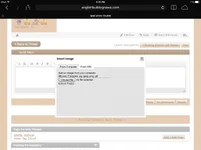
From the thread simply click on the insert image link...third icon from the left.

Then pick from computer...then pick from camera roll...pick photo...give it time to upload. The insert image box will disappear once it is uploaded....you sometimes will not see the inserted photo until you actually post the thread.

Make sense?
 
image.webpimage.webpimage.webp
Click icon then From computer....chose existing....find photo you want to insert and click photo....then click upload file(s).
Grey box will disappear once photo is uploaded.
 
What they said!
 

Create an account or login to comment

You must be a member in order to leave a comment

Create account

Create an account on our community. It's easy!

Log in

Already have an account? Log in here.

📰 Latest posts

Back
Top