
This tutorial is about creating and joining arcade tournaments
First click on the Arcade tab at the top of the forum pages.
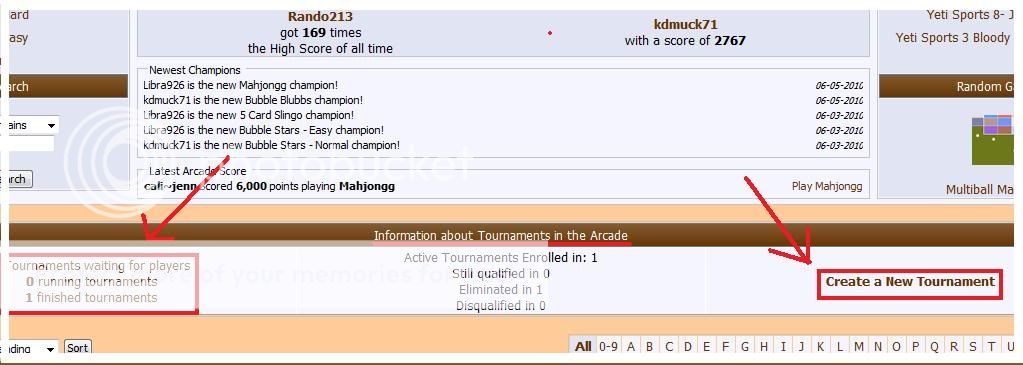
Then scroll down just below the recent high scores. You will see available tournaments or create a new one from a game you love to play.
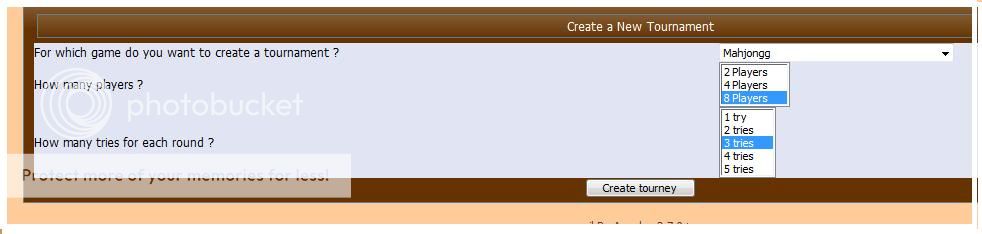
To create a tournament, simply choose the game you want, then how many players in the tournament, and how many tries each player gets.
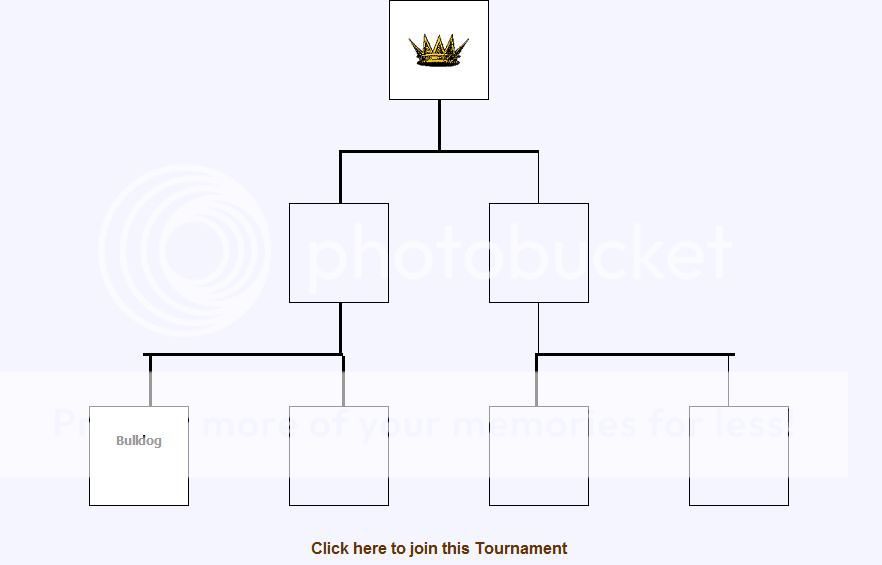
Once the tournament is created, you will see the tournament layout. Your name will be in one of the boxes. This is also what is displayed if you click on an available tournament that has already been made.
Listed available tournaments will show how many spots are still open, how many tries, and what game. To join a tournament, simply click the "Register" button. You can view the tournament grid by clicking "See this tournament". You can then see who is already registered.

Then what? Well, if the tournament is still waiting for players, you will be notified via messages once the tournament is full. You will only have a certain number of days to play your games before you are disqualified. You will recieve notifications when you are getting close to the deadline as well.
Have fun, playing tournaments is a really fun way to pass time.
First click on the Arcade tab at the top of the forum pages.
Then scroll down just below the recent high scores. You will see available tournaments or create a new one from a game you love to play.
To create a tournament, simply choose the game you want, then how many players in the tournament, and how many tries each player gets.
Once the tournament is created, you will see the tournament layout. Your name will be in one of the boxes. This is also what is displayed if you click on an available tournament that has already been made.
Listed available tournaments will show how many spots are still open, how many tries, and what game. To join a tournament, simply click the "Register" button. You can view the tournament grid by clicking "See this tournament". You can then see who is already registered.
Then what? Well, if the tournament is still waiting for players, you will be notified via messages once the tournament is full. You will only have a certain number of days to play your games before you are disqualified. You will recieve notifications when you are getting close to the deadline as well.
Have fun, playing tournaments is a really fun way to pass time.
Last edited:


